Partner Center | Sell
Enhancing and accelerating the IBM Cloud partner experience.
Problem
ISV partners are crucial for IBM Cloud — and had been underserved for years. The existing tool, Resource Management Console, was a nightmarish onboarding experience. New partners faced 6–9 months of work just to get into the catalog. Installable software couldn’t be onboarded at all.
Insight
The slowness wasn’t a UI problem dressed up — it was the wrong tool. Resource Management Console was built to manage IBM resources internally; we were asking it to invite outsiders in. Once Angela Runge’s research surfaced what partners actually needed at each step, the strategy became obvious: build a purpose-built onboarding engine and migrate every partner onto it.
Solution
Partner Center | Sell: a highly efficient partner onboarding engine, replacing Resource Management Console. ISV service onboarding migrated over. Installable software onboarding (as opposed to SaaS, PaaS, and IaaS) shipped for the first time on IBM Cloud in November 2020. The 6–9 month onboarding became 6–8 weeks.
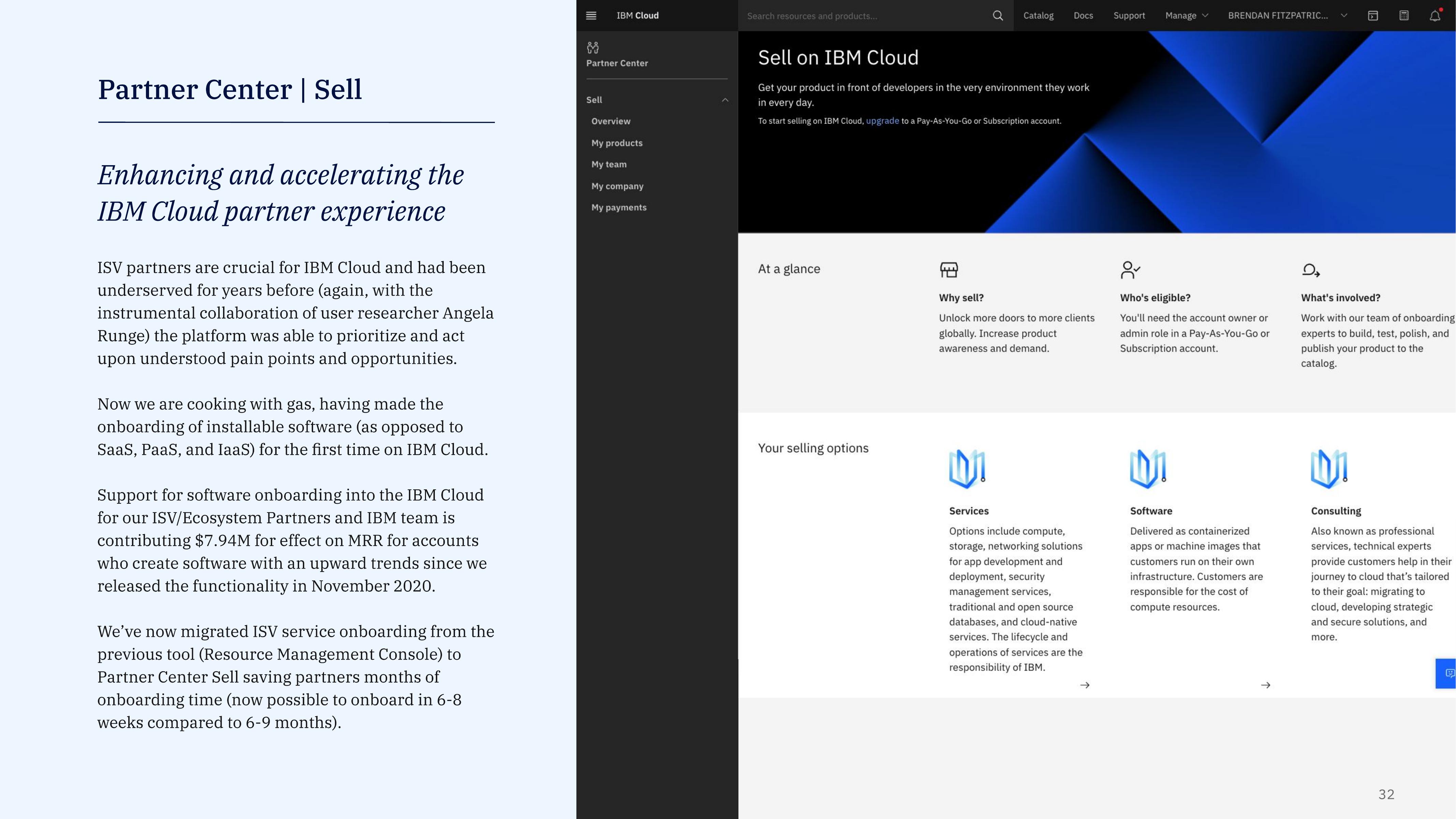
Inside the tool
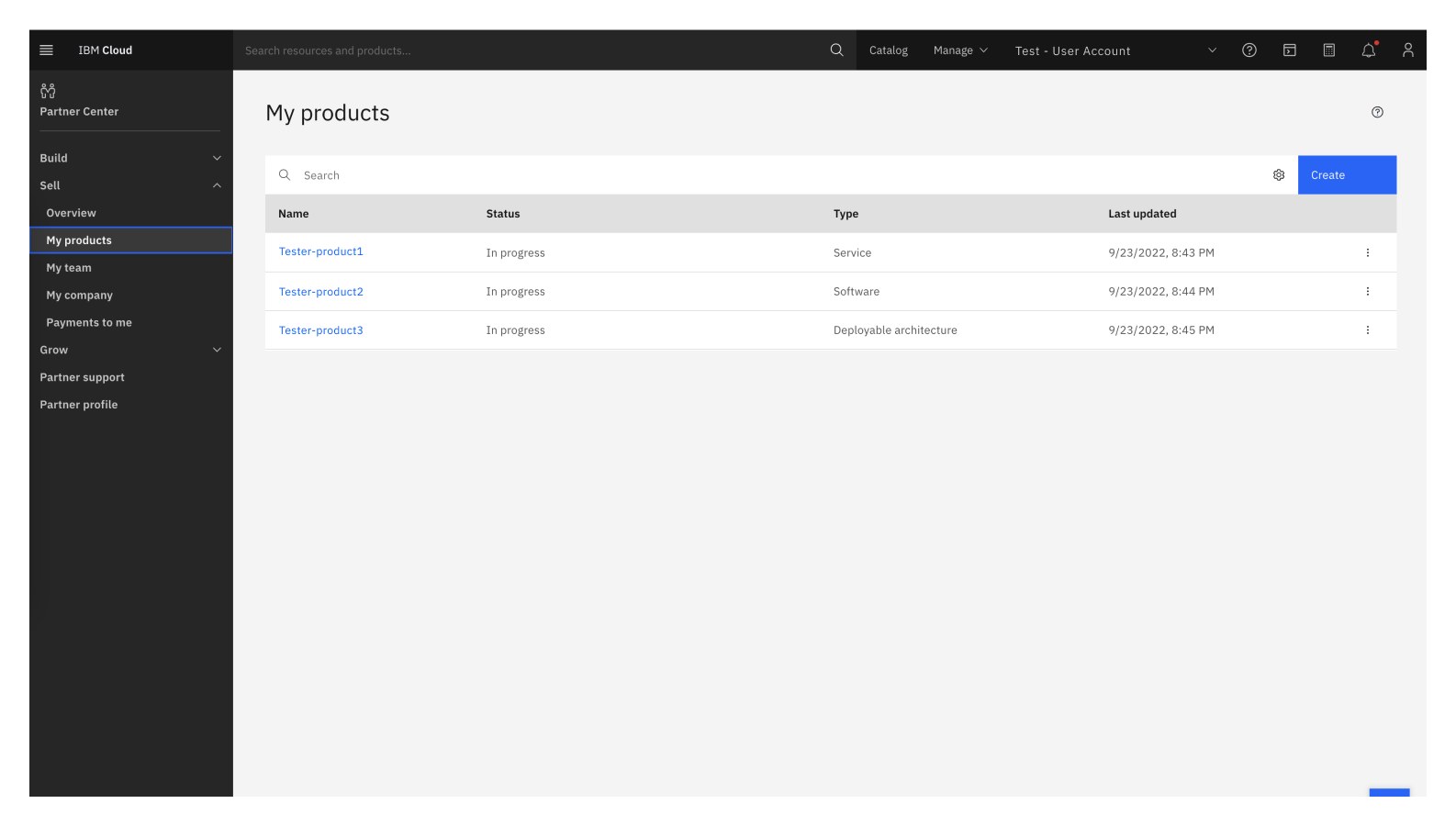
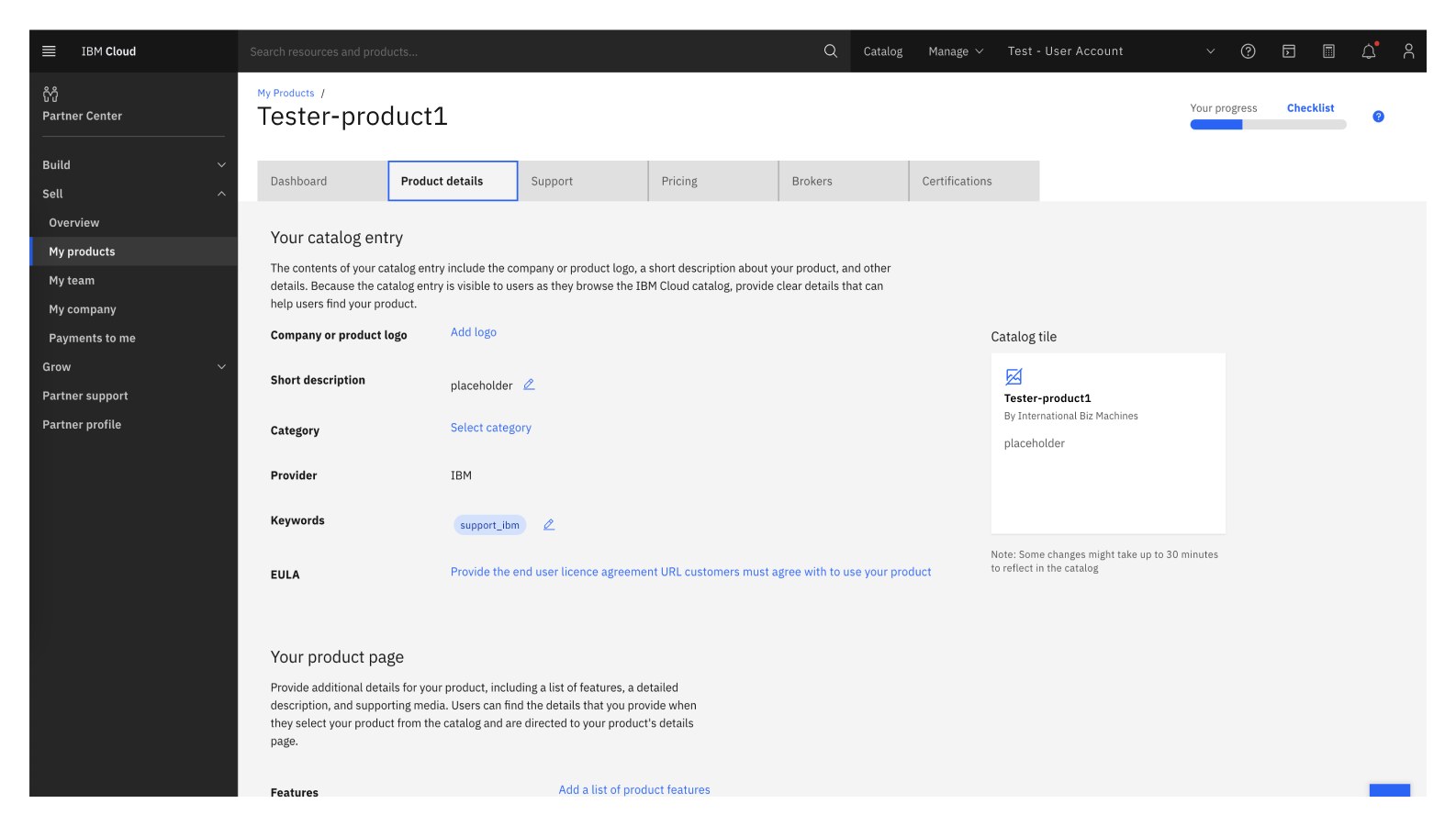
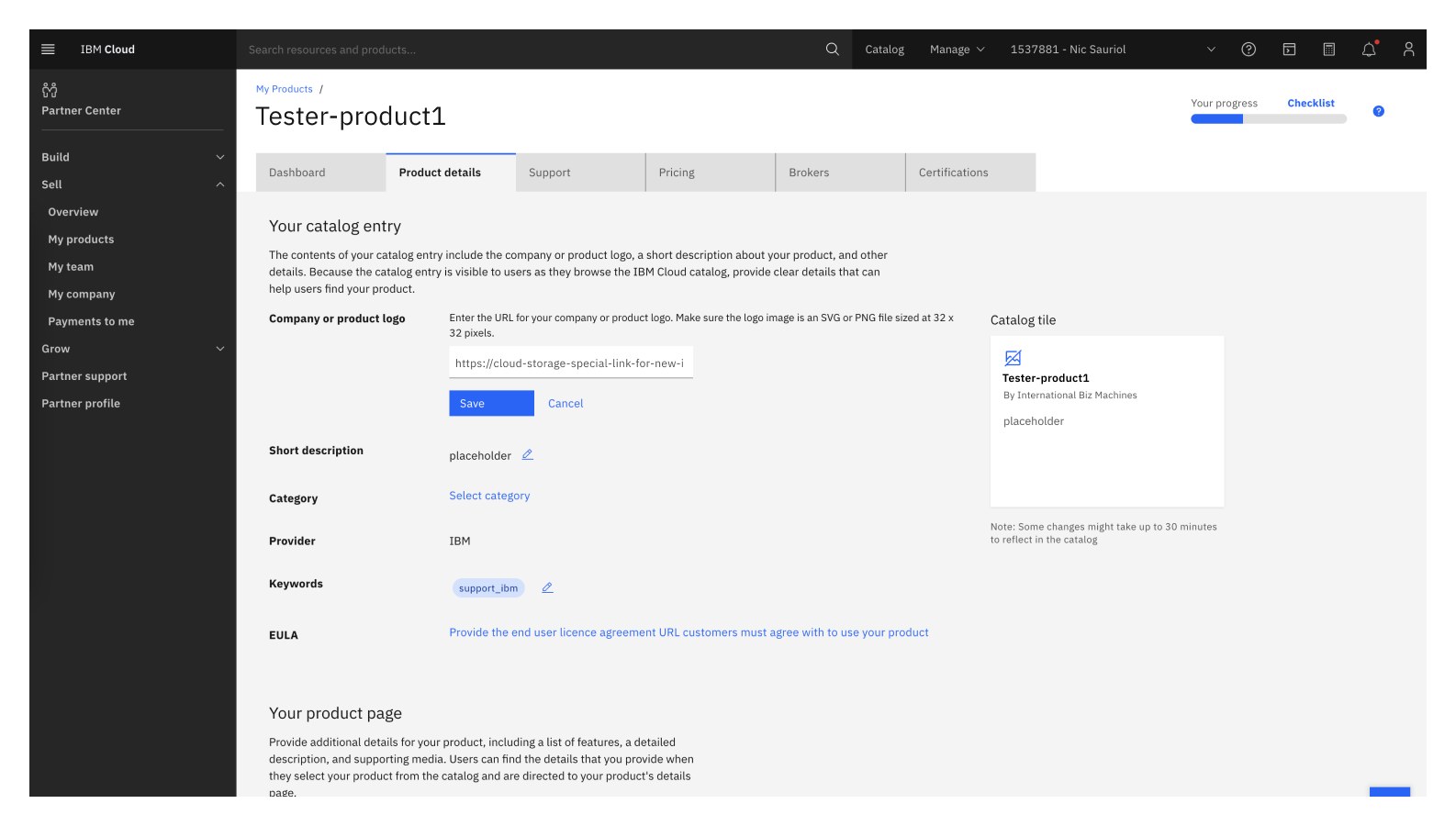
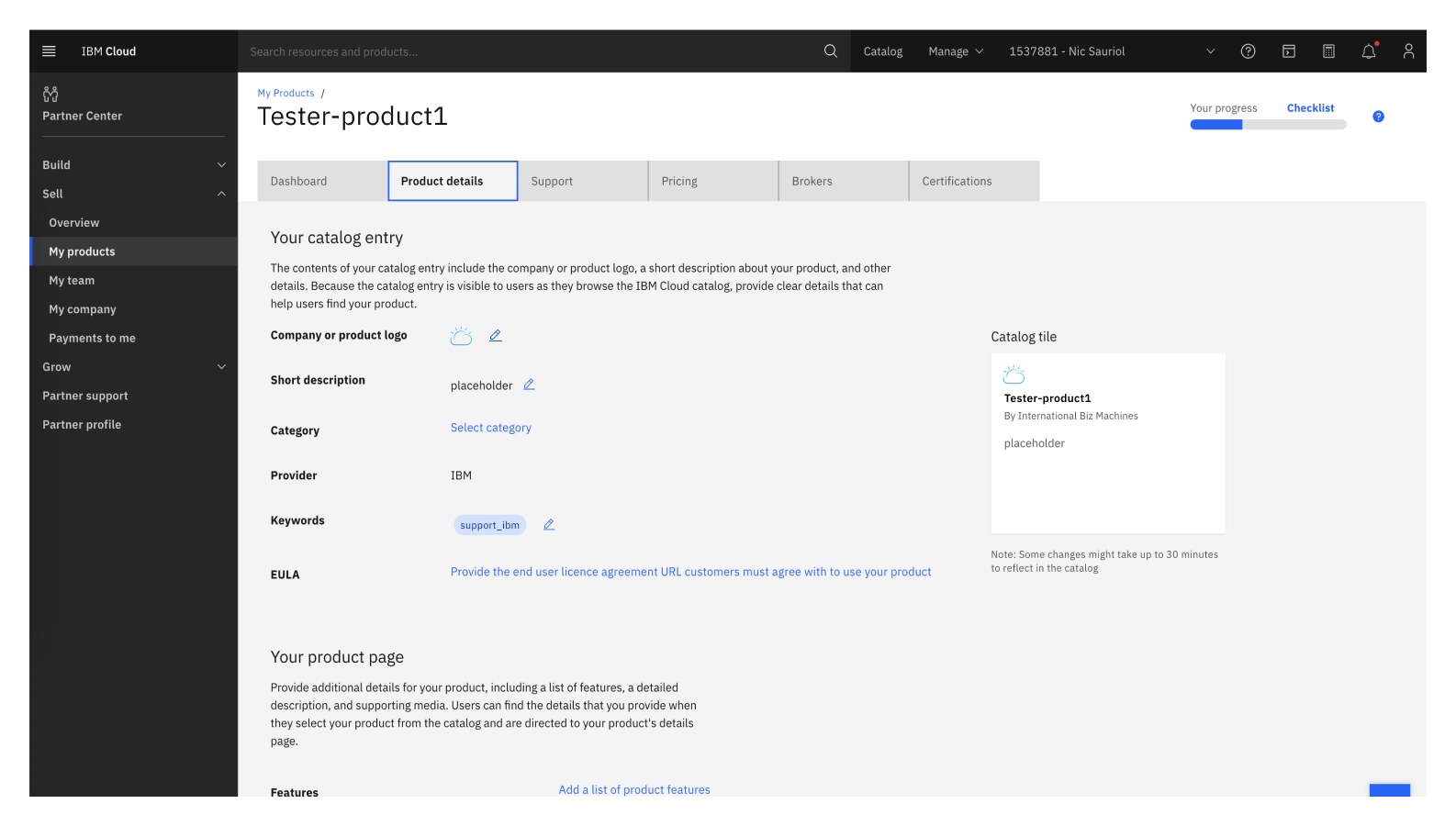
The work of Partner Center isn’t the marketing surface — it’s the back-room product editor where a partner actually does the onboarding. A few moments from inside the build.
The process was smooth and painless. ISV partner AnonTech, on onboarding ViziVault to the IBM Cloud catalog
Compared to other clouds, IBM offers the most straightforward user experience. ISV partner Turbonomic, on onboarding a Red Hat OpenShift Operator
IBM Cloud’s previous onboarding tool had no involvement from design, resulting in an extremely complex user experience that few people could understand. Brendan was highly engaged from the project’s inception and helped the development and OM teams in different geographic locations come together and understand the problem from our users’ perspective. He was the key leader and my counterpart within design — helping our teams refine the user flows through many iterations. The result was a new IBM Cloud Partner Center that has had excellent user feedback and delighted our users. STSM, Common Cloud Services
Partner Center continues to take on new responsibilities in helping partners do business with IBM Cloud and its customers — and I’m still actively involved.